New season · Free delivery over $50
Everyday clothing, ordered in one chat.
Pick what you like and send the order on WhatsApp. We confirm stock, delivery and payment with you directly, usually within five minutes.
- Cash on delivery
- Bank transfer or card
- Replies in ~5 min


 OrderChat live demo
Try it as a customer, then as the store.
Everything below works for real on this site. Orders land on the order board, and the whole demo resets every hour.
-
1 · Customer
Order on WhatsApp
Open a product, tap Order via WhatsApp, fill in your name and phone, and review the exact message before it is sent. The order is saved first.
Open a product → -
2 · Customer
Leave a cart behind
Add items, type your phone in the cart drawer, then close it. A few minutes later it shows as Abandoned cart with a recovery link.
Go to the shop → -
3 · Customer
Confirm a COD order
Check out normally with Cash on delivery. The thank-you page asks you to confirm the order on WhatsApp.
Checkout with a beanie → -
4 · Customer
Upload a receipt
After a bank-transfer order, upload the payment receipt on the thank-you screen. The store reviews it on the board.
Place an order → -
5 · Store owner
Run the order board
Drag orders between columns, send one-click replies, build a quote, confirm payments and read the analytics.
Username
Open the order boarddemo· Passworddemo
Shop by category
View all →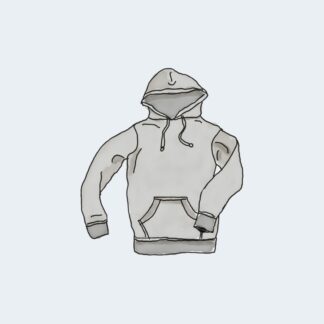
Best sellers
Shop all →-

Hoodie
Sale! Price range: $42.00 through $45.00 Select options This product has multiple variants. The options may be chosen on the product page -

Hoodie with Logo
$45.00 Add to cart -

Beanie with Logo
Sale! Original price was: $20.00.$18.00Current price is: $18.00. Add to cart -

Cap
Sale! Original price was: $18.00.$16.00Current price is: $16.00. Add to cart -

Polo
$20.00 Add to cart -

T-Shirt with Logo
$18.00 Add to cart -

Beanie
Sale! Original price was: $20.00.$18.00Current price is: $18.00. Add to cart -

T-Shirt
$18.00 Add to cart
How ordering works
- 1
Choose
Add products to your WhatsApp cart, or order one item straight from its page.
- 2
Send on WhatsApp
Review your order message and send it. No account or checkout form needed.
- 3
Pay and receive
We confirm stock and delivery, then you pay by transfer, card link or cash on delivery.